PHOTO TO MP4 / WALKTHROUGH
How to make an
Ozil Goal AI video.
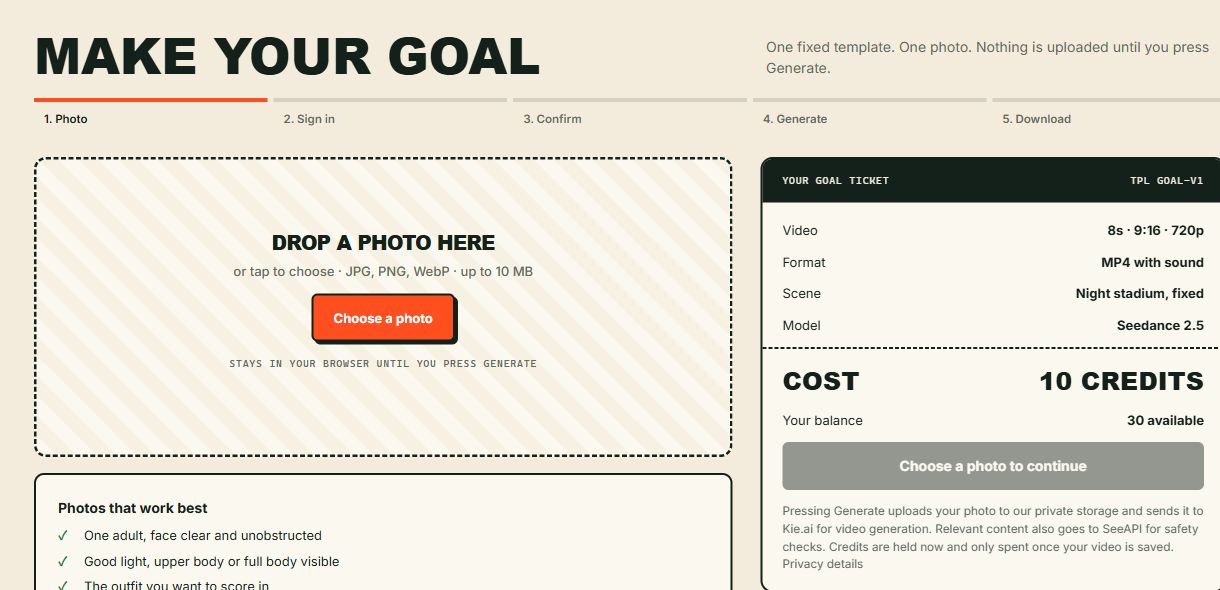
Start with one adult photo, review a fixed 10-credit request, then save an 8-second vertical football clip. This guide follows the site's current workflow. The interface images show a local review build; they are not receipts for a real purchase.
Updated October 17, 2026. The model is Seedance 2.5 through Kie.ai.
01 / PREPARE
Choose the photo before paying.
Open Create and choose a JPG, PNG or WebP photo of one consenting adult. Keep the face and outfit visible. The file must be at most 10 MB, at least 256 pixels on each side and no more than 8 megapixels in total. The photo stays in this page until you press Generate.
The local check reads basic file properties. It does not verify age, find a face or predict whether the person will look right. Review the adult and photo-permission confirmations yourself. See photo examples and resizing advice.
02 / ACCOUNT
Sign in with your email.
Choose Sign in to continue, request a one-time code and enter the code from your inbox on the website. Keep this tab open so your selected photo stays in memory. Refreshing or closing before submission can discard the local draft; choose the file again if needed.
Use the same account when you return to Library or Account & billing. Never send a sign-in code, password or API key in a support message. No API key is needed from you to use this website.
03 / ONE-TIME PAYMENT
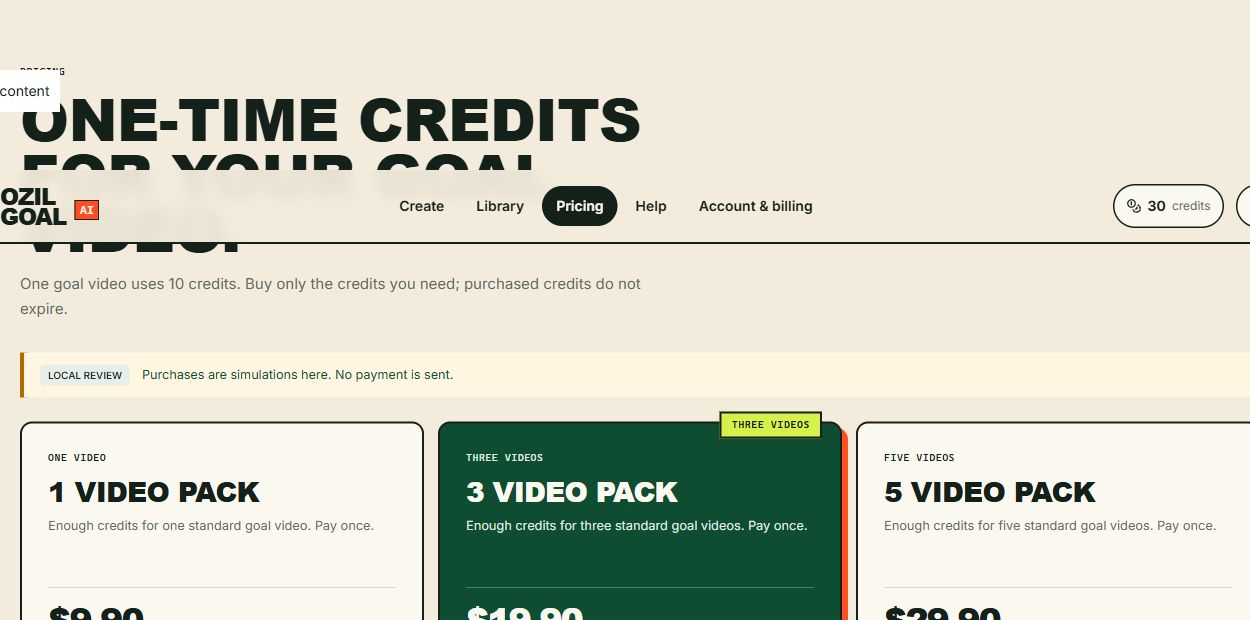
Add credits if your balance is below 10.
One video uses 10 site credits. The packs are $9.90 for 10 credits, $19.90 for 30, or $29.90 for 50. Every pack uses the same model, format and template. Purchased credits do not expire and there is no automatic renewal.
Checkout opens separately. Finish there, then return to your draft and wait for the confirmed balance. If it has not updated, refresh the balance and check Account & billing before paying again. Buying credits does not upload the photo or start generation.
04 / SUBMIT ONCE
Confirm the photo and the 10-credit cost.
Confirm that the person is 18 or older and that you have permission to submit the photo and depict them. Review the fixed night-game scene and press Generate. The photo is then uploaded, sent to Kie.ai for generation and checked with relevant content by SeeAPI for safety. Read the data-handling details before submission.
Keep the page open until your task appears. The site reserves 10 credits when it saves the task and spends them once a valid MP4 is saved. After the task appears in Library, you can leave and return to that same task. Queue time varies. Repeated clicks or a network interruption are not reasons to submit a second paid job.
The request is fixed at 8 seconds, vertical 9:16, 720 × 1280, MP4 with sound. It creates an original AI scene, not a guaranteed recreation of a real match. The free prompt builder produces text to copy into an external compatible tool; its options do not change this paid template.
05 / SAVE YOUR COPY
Play with sound, then download the MP4.
When the task is saved, open the video in Library and review the face, clothes, ball, movement, goal and sound. Choose Download MP4 to save a local copy. Downloading the existing file does not generate a new video or spend more credits.
Videos have a 30-day access period. Download before it ends; access expiry does not guarantee physical deletion. Purchased credits do not expire. Your Library is private to your account, while submitted content is processed by the providers described in Privacy.

IF SOMETHING GOES WRONG
Keep the task, video or order ID.
A confirmed technical failure releases held site credits. An unclear provider status can keep them reserved while the original task is checked. Use Check status in Library; avoid creating another task to investigate the first one.
For a visual problem, choose Report a quality issue on the saved video, select the categories, add the time and describe what happened. Submit the form and keep the ticket ID. A report does not automatically refund credits or money. For a payment question, use the support form with your order ID.
Read the status-by-status actions · Model limits and use rights
SAMPLE / WHAT WAS CHECKED
One real sample, with visible limits.
The public example starts from a synthetic adult office worker in a navy suit, red tie and glasses. It uses the same fixed original night-game template and Seedance 2.5 model available in Create. It is not match footage, a player endorsement or a frame-for-frame reconstruction of a real goal.
Technical check
Checked on October 17, 2026: one site generation completed upload, the 10-credit reservation and charge, private saving and MP4 download. The downloaded file has an approximately 8-second video track, 720 × 1280 resolution and an audio track.
What to judge for yourself
- Does the face stay recognizable?
- Do the outfit and body remain consistent?
- Does the ball follow the feet and enter the goal?
- Do the movement, camera and sound work together?
The public clip lets you inspect one outcome. A single completed test is not a measured success rate, an average waiting time or a guarantee for another photo. Faces, clothing, motion and audio can vary.
Model and rights notes · Choose a suitable photo · Full walkthrough · Make your video